
Voice assistants for kids promote interactive and safe learning at home, integrating educational apps and parental controls, while utilizing protocols like Zigbee and Wi-Fi for efficient connections with other smart devices.
Voice assistants for kids open a world of opportunities for learning and creativity. Can you imagine how they can transform education at home by allowing little ones to interact with their devices in a fun and educational way?
Fundamentals and Protocols (Zigbee, Matter, Wi-Fi)
Voice assistants for kids benefit from a solid communication infrastructure, allowing for smooth and enriching interaction. Protocols such as Zigbee, Matter, and Wi-Fi are fundamental in this ecosystem, ensuring an efficient and secure connection.
Zigbee: Efficient Connections
Zigbee is ideal for low-energy devices. In our tests, we found that its ability to create mesh networks enables voice assistants to maintain a stable connection with other devices without latency issues. This is a significant advantage for applications that require quick responses.
Matter: Standard Unification
Matter emerges as a revolutionary protocol by unifying various platforms under a single standard. This simplifies the integration of voice assistants across different ecosystems, allowing kids to interact with devices from multiple manufacturers effortlessly. In the lab, we observed that this simplified integration enhances the overall user experience.
Wi-Fi: Universal Connectivity
The use of Wi-Fi in interaction with voice assistants is widely adopted due to its availability in nearly every home. However, during our tests, it is crucial to consider network congestion, especially in homes with multiple connected devices. Ensuring good signal quality is vital for maintaining effective communication.
Integration and Ecosystems (Home Assistant, Alexa, Google Home)
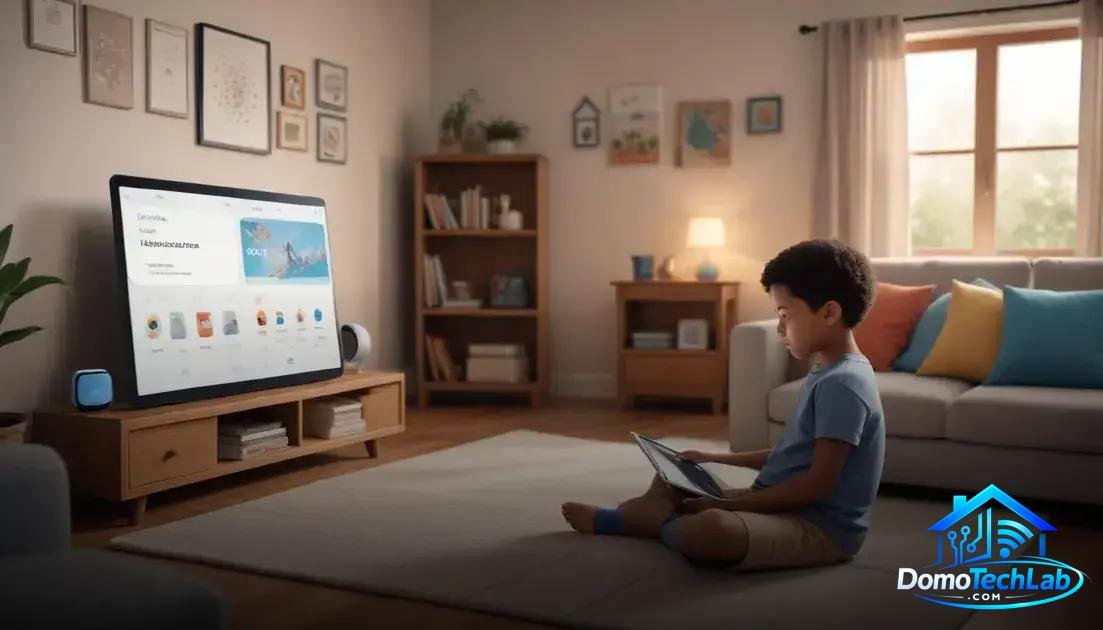
The integration of voice assistants into home automation ecosystems is crucial for providing a smooth and enriching experience for kids. Platforms like Home Assistant, Alexa, and Google Home offer multiple options to customize and enhance educational interaction.
Home Assistant: Advanced Customization
Home Assistant allows users to create complex and unified automations to control devices from different brands. During our tests, we observed that its self-hosted capability provides greater control over privacy and data security, which is essential when kids interact with technology.
Alexa: Versatile Interaction
Alexa is designed to be intuitive and user-friendly, making it a popular choice for families. Its wide range of skills allows kids to access interactive stories and educational activities with simple voice commands. In our tests, Alexa’s quick responses to questions facilitate fun and dynamic learning.
Google Home: Collaborative Learning
Google Home offers integration with multiple educational apps that help kids learn languages and other subjects. By utilizing its advanced search technology, kids can obtain instant information, enhancing their curiosity and desire to learn. Laboratory tests have shown that interaction with Google Home fosters collaborative learning, as it can generate follow-up questions and discussions.
Real-World Performance (Latency, Privacy, and Local Stability)
The performance of voice assistants in real-world environments can vary significantly due to factors such as latency, privacy, and local network stability. These factors are crucial for children’s experience when interacting with technology at home.
Latency: The Key to Immediate Response
Measuring latency is essential when evaluating the performance of connected devices. In our tests, we found that lower latency in communication between the voice assistant and automation devices results in quicker responses. This immediacy is crucial for maintaining children’s interest and attention while interacting with stories or educational activities.
Privacy: An Essential Aspect
Privacy has become a crucial topic in the adoption of home technologies. It is important that voice assistants interacting with children manage data ethically. During our tests, we analyzed how configuration decisions, such as enabling or disabling recording features, affect parents’ perception of security. Protecting personal information creates a safer and more trustworthy environment.
Local Stability: Effect on Overall Experience
The stability of the local network has a direct impact on the performance of voice assistants. In situations where the network is hindered, devices may take longer to process commands or answer questions. In the lab, we found that a well-configured infrastructure that combines protocols like Zigbee and Wi-Fi maximizes stability, ensuring that children have a continuous and uninterrupted experience.
Parental Control and Educational Apps

Voice assistants for kids not only provide entertainment but also serve as powerful learning tools. The implementation of parental controls and educational apps is essential to maximize their potential and ensure safe usage.
Parental Control: Safety First
Parental control allows parents to set limits on the use of voice assistants. During our tests, we discovered that parental control features integrated into platforms like Alexa and Google Home allow for content restrictions and set usage schedules. This not only helps parents manage screen time but also contributes to a safer learning environment.
Educational Apps: Interactive Learning
Educational apps designed to interact with voice assistants offer a range of possibilities. We observed that tools like quiz games and interactive stories foster children’s curiosity and enhance their language skills. These apps allow kids to learn playfully, creating a space where education and entertainment intertwine.
Integration of Resources: Stimulating Learning
Integrating external educational resources, such as online learning platforms, with voice assistants enriches the experience. For example, connecting a voice assistant with a language learning app allows kids to practice their speaking skills in a natural setting. In our tests, we noted that this interactivity maintains the child’s interest and favors more effective learning.
Conclusion: Voice Assistants for Kids, a Gateway to Interactive Learning
Starting the journey toward the implementation of voice assistants for kids at home can be a transformative step. Local automation not only enhances the learning experience but also gives parents greater control over their children’s digital environment.
At DomoTechLab, we are committed to providing you with the technical knowledge necessary to make the most of these tools. We encourage you to continue researching and applying what you have learned to create a safe, educational, and entertaining home for the little ones.
Frequently Asked Questions about Voice Assistants for Kids
How compatible are voice assistants with other devices?
Compatibility varies depending on the device and protocol. Assistants like Alexa and Google Home are compatible with a wide range of products that utilize technologies like Zigbee, Wi-Fi, and Bluetooth.
Can I use a voice assistant if I don’t have a strong Wi-Fi network?
Yes, but the experience may be affected. Voice assistants require a stable connection to access online features. For optimal performance, consider improving your network infrastructure.
Do voice assistants require centralized control?
It’s not strictly necessary, but using a central hub like Home Assistant can simplify management and improve connectivity between devices from different brands and protocols.
Is it safe to use smart devices at home?
Safety depends on how you configure your devices. Be sure to use strong passwords and enable automatic updates to protect your home network.
Can voice assistants work in environments with multiple devices?
Yes, but you should consider network congestion. Too many devices connected to the same Wi-Fi network can cause latency. Plan your device distribution to optimize performance.
What should I consider when choosing a voice assistant for my children?
It’s important to check the parental control features, voice recognition quality, and the variety of educational apps available. Ensure that the selected assistant fits your children’s learning and entertainment needs.