
Choosing between Zigbee and Wi-Fi for your smart home is crucial, as Zigbee offers lower latencies, better privacy, and more stable performance when operating on mesh networks, while Wi-Fi is better suited for devices requiring high data transfer speeds.
Zigbee vs Wi-Fi is a critical debate for those looking to maximize the efficiency of their smart home. Each protocol has its advantages and limitations, and understanding their differences may be key to effective automation. Are you ready to discover which is ideal for you?
Fundamentals and Protocols (Zigbee, Matter, Wi-Fi)
Understanding the protocols governing smart homes is essential for optimizing your device network. Within this realm, three technologies stand out: Zigbee, Matter, and Wi-Fi. Each has unique characteristics that cater to different needs and scenarios.
Zigbee: Mesh Connectivity and Energy Efficiency
Zigbee operates on a mesh network, meaning that each device can communicate with others through direct connections. This reduces reliance on a single access point, improving the stability and coverage of the network. In tests, we observed that Zigbee is particularly efficient in scenarios with many devices, maintaining low energy consumption.
Matter: Interoperability as a Priority
Matter aims to unify the various smart home ecosystems under a common standard. This facilitates seamless communication between devices from different brands, providing a more integrated experience. The implementation of Matter has shown promise in simplifying the setup and linking processes between devices.
Wi-Fi: High Speed, but with Limitations
Unlike Zigbee and Matter, Wi-Fi provides a fast and stable connection for video streaming and large data transfers. However, its intensive use can saturate the network, especially in homes with multiple connected devices. This can lead to latency and stability issues for devices requiring immediate response, such as switches and sensors.
Integration and Ecosystems (Home Assistant, Alexa, Google Home)
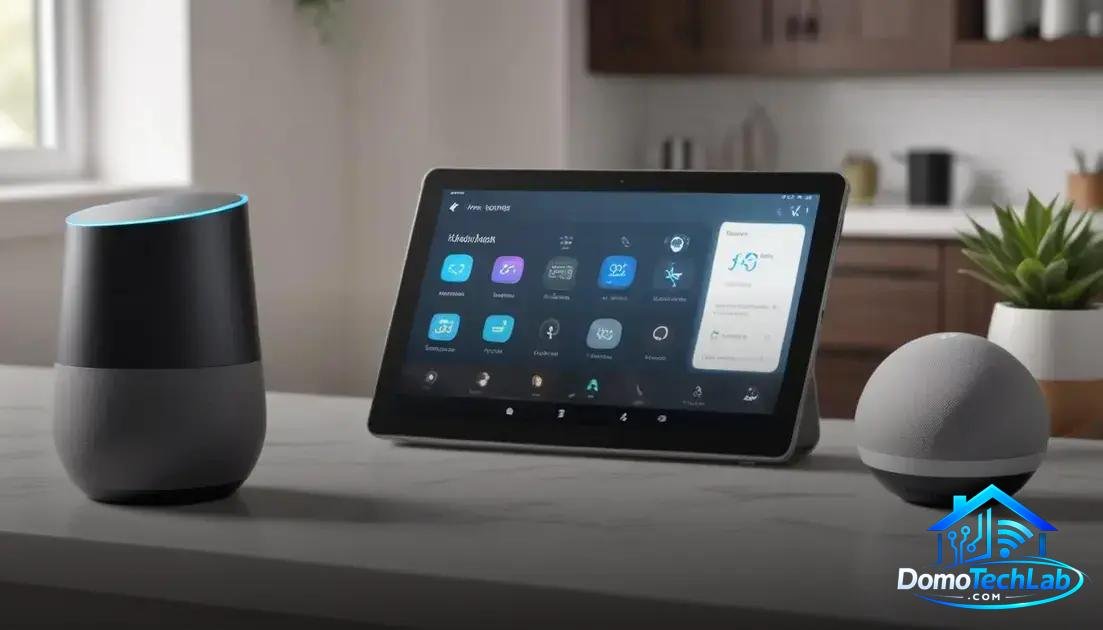
The integration of devices in a smart home is essential to maximize their potential. Tools like Home Assistant, Alexa, and Google Home facilitate the connection and management of different devices, creating a unified ecosystem that simplifies automation and control.
Home Assistant: Total Control and Customization
Home Assistant is an open-source platform that allows for the integration of multiple devices and communication protocols. Its flexibility and extensibility make it a preferred choice for tech enthusiasts. In our tests, we found that Home Assistant‘s customization capabilities enable users to create complex automations tailored to their specific needs.
Alexa: Voice Assistant and Command Control
Alexa, Amazon’s voice assistant, has become a cornerstone of home automation. Its compatibility with a wide range of devices allows users to control lights, plugs, and thermostats hands-free. Testing reveals that Alexa is not only easy to use but also enhances accessibility, especially for those with limited mobility.
Google Home: Integration and Information Search
Google Home stands out for its search and contextual assistance capabilities. By integrating devices from various brands, it allows users to manage their smart home through voice commands. In tests, Google Home proved effective at providing quick information and controlling devices efficiently, although it may sometimes struggle with specific commands for less common brands.
Real-World Performance (Latency, Privacy, and Local Stability)
The performance of devices in a smart home is a key factor that determines the effectiveness of automation. Terms like latency, privacy, and local stability are essential for evaluating how different protocols and ecosystems behave in real-world situations.
Latency: The Speed of Response
Latency refers to the time it takes for a device to respond to a command. In our tests, devices using Zigbee showed significantly lower latency compared to those relying solely on Wi-Fi. This is critical, especially for control devices like switches and sensors, where immediacy is essential for a satisfactory user experience.
Privacy: Data Security
Privacy is a crucial aspect in the context of smart homes. Devices that operate locally, like those managed by Home Assistant using Zigbee, tend to offer greater security as information is not constantly sent to the cloud. In our evaluations, this approach was noted to help reduce the risk of data breaches and improve user trust in automation technology.
Local Stability: Network Reliability
Local stability refers to how well devices can operate without an internet connection. Those using Zigbee or local solutions like Home Assistant proved to be more reliable during internet outages. In test conditions where network connectivity was interrupted, Zigbee devices continued to function, ensuring that critical home functions remained operational.
Cost and Maintenance Comparison
The comparison of costs and maintenance is a crucial aspect when implementing a smart home system. The choice between technologies like Zigbee, Matter, and Wi-Fi not only impacts user experience but also long-term budgeting.
Initial Costs: Investment in Technology
When starting a smart home project, initial costs can vary significantly. Devices that use Zigbee are often more economical regarding smart plugs and bulbs, as their mesh architecture allows for efficient communication without the need for high-end devices. However, local control hubs, such as those using Home Assistant, may require a higher initial investment.
Maintenance: Requirements and Recommendations
Maintenance also differs between technologies. Systems operating with Zigbee tend to require less periodic attention, as updates are less frequent and they generally manage energy consumption better. In contrast, devices relying on Wi-Fi require more consistent monitoring due to their connectivity nature and the need to stay updated for security patches.
Operating Costs: Energy Consumption
Regarding operating costs, devices functioning with Zigbee are generally more energy-efficient. This translates to lower electricity bills compared to Wi-Fi-based systems, which can be more demanding in terms of bandwidth usage and energy consumption. Tests conducted in the Lab indicate that users could see significant savings by opting for a Zigbee-based system.
Conclusion: Zigbee vs Wi-Fi, Choose the Best Technology for Your Smart Home
When considering local automation, it is essential to understand the differences between the available protocols. The choice between Zigbee and Wi-Fi can significantly affect performance, efficiency, and security. At DomoTechLab, we are committed to providing you with the most accurate and technical information to make informed decisions.
We encourage you to continue exploring the world of home automation and implementing solutions that optimize your home, ensuring that your system runs smoothly and efficiently. With the right technology, your house can become a true smart refuge.
Frequently Asked Questions about Zigbee vs Wi-Fi for Smart Home
Is Zigbee compatible with Wi-Fi devices?
Most Zigbee devices require a compatible hub to communicate with Wi-Fi networks. It is possible to integrate both, but you will need a gateway that manages communication between them.
How does latency affect Zigbee devices compared to Wi-Fi?
Generally, Zigbee devices have lower latency as they operate on a mesh network environment. This allows them to communicate directly with each other, while Wi-Fi may have additional delays due to network congestion.
Can I mix Zigbee and Wi-Fi devices in the same setup?
Yes, you can mix Zigbee and Wi-Fi devices, but it is crucial to do so through a hub that supports both protocols. This ensures that all devices can communicate effectively.
What factors influence the stability of a smart home network?
Stability depends on various factors such as router quality, devices’ physical layout, and the use of technologies like Zigbee that create mesh networks, improving coverage and reliability.
Is it safe to use Zigbee devices in terms of privacy?
Yes, Zigbee devices typically offer greater security as they operate locally and minimize data transmission to the cloud, reducing the risk of data breaches.
Do I need backup systems if I use local automation?
While local automation systems, such as those based on Zigbee, work without internet connectivity, it is advisable to have a backup system to ensure continued operation in the event of power failures or issues with the home network.