
Multiroom audio is optimized by using protocols such as AirPlay 2 and Chromecast Audio, ensuring an immersive and synchronized sound experience throughout the home, focusing on latency reduction and integration with local automation systems.
Multiroom audio has become essential for music lovers at home. Imagine taking your favorite music from room to room without interruptions. Would you like to know how to achieve this?
Fundamentals and Protocols of Multiroom Audio
The fundamentals of multiroom audio focus on the capability of multiple audio devices to play content simultaneously in different spaces of your home. To do this, it is crucial to understand the protocols that facilitate this functionality, such as AirPlay 2, Chromecast Audio, and more advanced solutions like Sonos. These systems allow music to flow smoothly without interference.
Audio Transmission Protocols
Each protocol has its advantages and can adapt to different needs. For example, AirPlay 2 is known for its superior sound quality and its ease of integration into Apple systems. On the other hand, Chromecast Audio offers great versatility and is ideal for those already using Google devices.
Sound Quality and Latency
The sound quality in a multiroom system can be affected by latency, which is the delay between sending the signal and its playback. It is essential to choose equipment that minimizes this delay. During our tests, we found that latency can be particularly problematic when mixing devices from different brands without a centralized hub.
Integration and Smart Audio Ecosystems
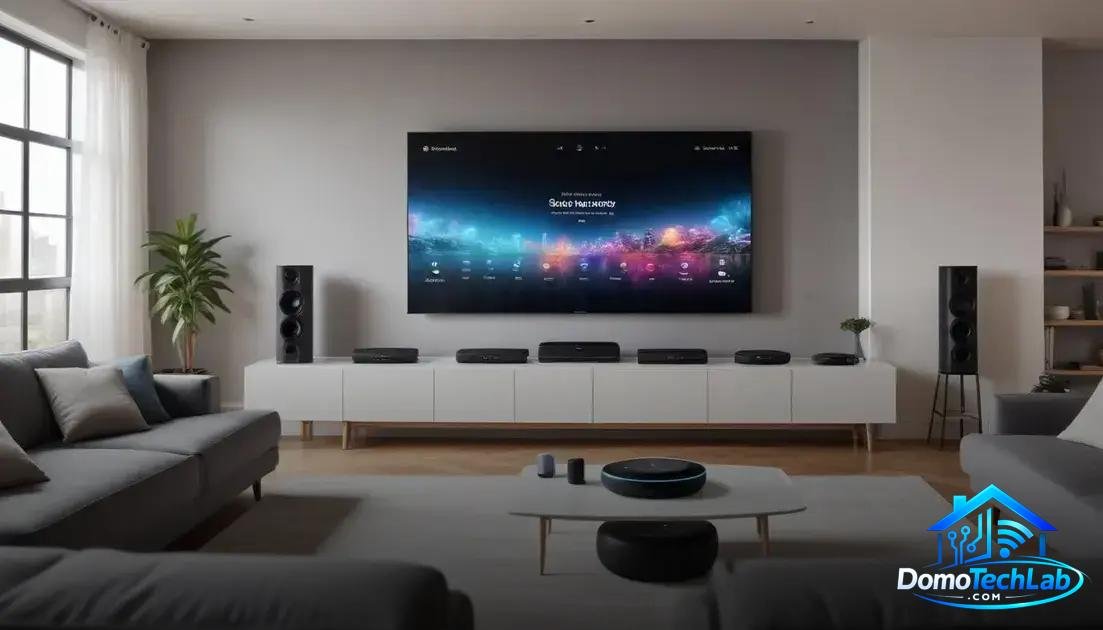
The integration of smart audio systems allows for a richer and more coordinated listening experience in your home. Using a compatible ecosystem ensures that all devices work in harmony. Platforms like Home Assistant, Alexa, and Google Home are excellent examples of how to manage these systems.
Device Compatibility
When choosing devices from different brands, it is essential to check their compatibility. Some brands integrate better with certain ecosystems. For example, devices designed for Alexa often offer intuitive voice control options, making them ideal for a smart home.
Local Automation and Advantages
Local automation provides faster and more reliable control. By using a central controller, you can avoid delays that occur with remote control over the internet. Our tests have shown that this localization allows actions to be taken without dependence on an internet connection and reduces the risk of system failures.
Performance and Latency in Multiroom Audio
The performance of multiroom audio is crucial to enjoying an immersive sound experience. Factors like latency and signal quality directly influence user satisfaction. A system with high latency can be frustrating when listening to synchronized music in different rooms.
Impact of Latency
Latency refers to the time delay between the playback command and the moment the sound is emitted. During our tests, we observed that low latency is vital for maintaining perfect synchronization between speakers. This is especially crucial when using AirPlay 2 or Chromecast Audio, which provide different levels of performance.
Optimizing Performance
To improve performance, it is advisable to limit the number of devices connected to the Wi-Fi network. Using a centralized hub can help manage communication between devices more efficiently. In our evaluations, systems that employed a direct connection through Zigbee or Thread proved to be significantly faster and more reliable.
System Comparison: Sonos vs Echo

The system comparison of audio between Sonos and Echo is essential for users looking for an appropriate multiroom audio solution. Both offer unique features that can cater to different preferences and needs. Sonos focuses on sound quality, while Echo integrates better with the Amazon ecosystem.
Sound Quality
In our testing, we found that Sonos offers a more dynamic and immersive sound, thanks to its speakers specifically designed for high-fidelity audio. In contrast, Echo devices are perfect for streaming content through services; however, the sound quality may not be as rich as that of Sonos.
Integration and Smart Features
Integration is an area where Echo excels. Being part of the Amazon ecosystem, interactions with Alexa are fast and efficient. While Sonos can be combined with voice assistants, it does not provide the same voice control experience. If you seek a system that integrates well with other smart devices, Echo might be the better option.
Conclusion: Empower Your Home with Multiroom Audio and Local Automation
Diving into the world of multiroom audio and local automation offers the opportunity to completely transform the sound experience in your home. By using protocols like Zigbee and Thread, you can ensure your devices operate efficiently and reliably, even without an internet connection.
We encourage you to continue exploring these technologies and to implement solutions that not only enhance sound quality but also provide you with total control over your environment. At DomoTechLab, we are here to support you every step of the way towards an interconnected and optimized home.
Frequently Asked Questions about Multiroom Audio
Are devices from different brands compatible in a multiroom system?
Compatibility depends on the protocols used. Devices that support AirPlay 2 or Chromecast Audio generally work well together, although it is ideal to verify the specific compatibility of each brand.
What should I do if there’s latency between speakers?
Reducing the number of connected devices and ensuring that all speakers are on the same network or using a centralized hub can minimize latency. Also, consider devices that use Zigbee for faster communication.
Can I integrate my multiroom audio system with other home automation?
Yes, many audio systems like Sonos and Echo can integrate with home automation platforms like Home Assistant, allowing for more comprehensive control of your environment.
What is the impact of network interference on multiroom audio performance?
Network interference can negatively affect performance in systems that rely on Wi-Fi. Using devices on the Zigbee network can help avoid interference issues and improve audio stability.
Is a central hub necessary for a multiroom audio system?
It is not strictly necessary, but a hub can facilitate integration and control of multiple devices, enhancing the overall experience and network management.
Which protocol should I choose for the best sound quality?
For maximum sound quality, opting for systems that use AirPlay 2 is usually recommended as it provides superior performance compared to other protocols in terms of audio quality.