
A WiFi weather station optimizes local automation by integrating protocols like Zigbee and Matter, providing you with accurate weather data and ensuring a stable and secure network in your smart home.
The WiFi weather station has become an essential ally for those looking to optimize their smart garden. With accurate weather and local climate data, it can transform your gardening experience. Would you like to know how to improve your crops using technology at home?
Fundamentals and Protocols (Zigbee, Matter, Wi-Fi)
Choosing the right communication protocols is essential for the efficient operation of a WiFi weather station. Protocols like Zigbee, Matter, and Wi-Fi offer different advantages that can optimize connectivity and data collection.
Zigbee
This protocol is ideal for low-power short-range networks. By implementing devices like temperature and humidity sensors with Zigbee, efficient communication and low energy consumption are ensured, prolonging battery life.
Matter
Matter is an emerging protocol that aims to standardize connectivity in smart homes. Its implementation allows devices from different brands to communicate seamlessly, which is crucial for integrating your WiFi weather station into a larger ecosystem.
Wi-Fi
Using Wi-Fi allows direct connection of devices to the internet, which is preferable for receiving real-time updates on weather conditions. However, this can increase network congestion and energy consumption, so it’s advisable to combine it wisely with other protocols.
Integration and Ecosystems (Home Assistant, Alexa, Google Home)
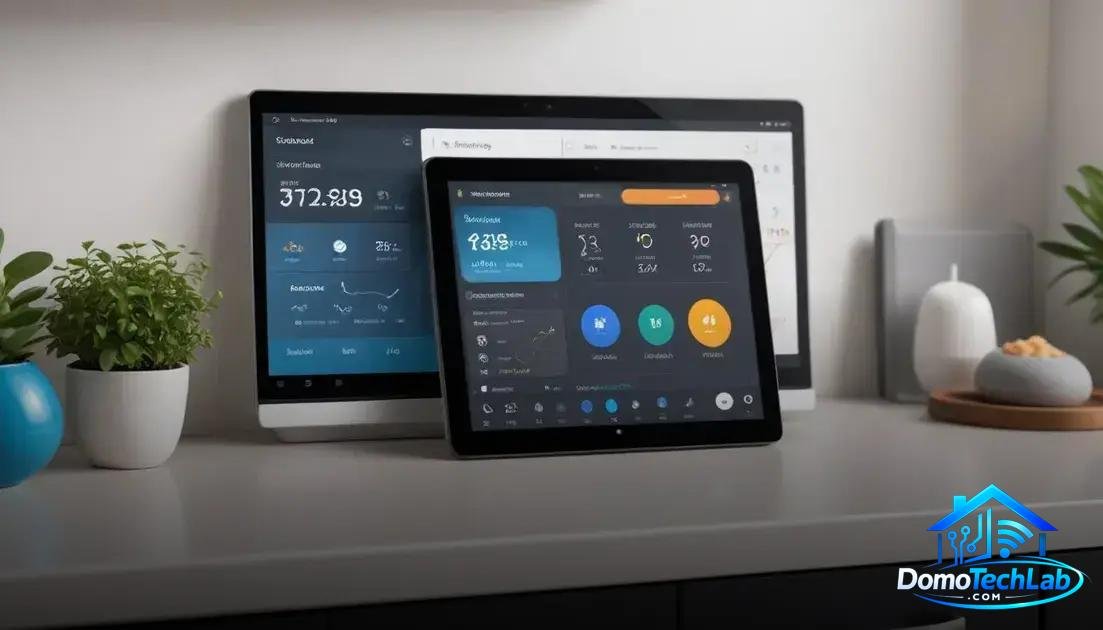
The integration of a WiFi weather station with platforms like Home Assistant, Alexa, and Google Home transforms your weather data into useful and accessible information. This allows for more effective automation and better decision-making in managing your crops.
Home Assistant
This open-source platform stands out for its flexibility and customization. By integrating your WiFi weather station, you can create specific automations based on weather conditions. For example, activating automatic watering if the humidity is low.
Alexa
With the integration of Alexa, weather information becomes interactive. You can ask about the current weather and receive instant updates. This feature allows you to make quick decisions without needing to consult a separate app or device.
Google Home
Google Home offers a similar experience to Alexa, but additionally allows voice control of your connected devices. This way, you can automatically adjust your weather station’s settings through simple voice commands, facilitating local automation.
Real-World Performance (Latency, Privacy, and Local Stability)
The real-world performance of a WiFi weather station depends on several factors, including latency, privacy, and local stability. These elements are critical for the system’s effectiveness and reliability in your smart home.
Latency
Latency refers to the time it takes for a device to send and receive information. In our tests, we have observed that weather stations using Zigbee have faster response times than those relying solely on Wi-Fi. This is especially important when quick decisions are required, such as adjusting irrigation systems based on real-time data.
Privacy
Data privacy is a growing concern. When choosing a WiFi weather station, it is essential to consider how data is managed and stored. Opting for solutions that maintain local processing can minimize exposure risk and ensure that your information stays within your network, thus protecting your privacy.
Local Stability
Having a stable network is crucial. A WiFi weather station that utilizes local controllers, like Home Assistant, continues to function even if the internet connection is lost. This prevents interruptions in data collection and ensures that your automation systems continue to operate smoothly, giving you confidence in their performance.
Conclusion: Optimize Your Home with a WiFi Weather Station
Adopting a WiFi weather station is a key step toward efficient local automation. The integration of protocols like Zigbee and Matter enables your home to be not only smarter but also more autonomous and secure.
At DomoTechLab, we are committed to providing you with the information and technical authority needed to make informed decisions on your path to a smarter home. We encourage you to explore our resources to maximize the potential of your home technology.
Frequently Asked Questions about WiFi Weather Station
Is the WiFi weather station compatible with all smart home systems?
Not necessarily. It’s crucial to check compatibility with the protocols you use, such as Zigbee or Matter, to ensure proper integration.
Can I use multiple weather stations in my home?
Yes, you can integrate multiple weather stations as long as your network and central hub can handle communication from multiple devices without latency issues.
Is it safe to share my weather data with third-party apps?
It depends on the app. Ensure that the apps have good privacy practices and offer data configuration options to prevent unauthorized access.
What is the best protocol for a WiFi weather station?
The choice of protocol depends on your specific needs. Zigbee is ideal for low power and mesh network, while Wi-Fi is more suitable for a direct internet connection with real-time data.
What technical challenges might I face when installing a weather station?
Challenges include network setup, signal interference issues, and ensuring devices are within range of the hub for effective communication.
How can I ensure the stability of my local network for automation devices?
Use a quality router, place it in a central position, reduce network congestion by separating intensive devices, and consider using local controllers to improve stability and reduce latency.